by OnSight | Feb 2014 | Social Media
Rarely have I heard of a social media network — one of those things designed to increase connection and community — described as baffling or intimidating as much as Twitter is. Twitter itself is a great tool, for both listening and for reaching out and sharing messages and interacting, but it does have its own lingo and its own codes, which can put folks off on first sight.
With only 140 characters per tweet, real estate is at a premium on Twitter. Out of necessity, it has developed its own set of codes and shorthand to make room for the important bits. The good news is that those codes — once you learn them — are providing useful information, like “here’s where I heard this from” or “please share this with others!” or “hey, this is part of a conversation you may only being seeing part of, check the rest out!”
With that in mind — and every assurance that not only is Twitter really worth exploring, but that what can seem overwhelming at first glance is really easy to learn — here’s a glossary of common Twitter lingo to help ease the journey:
@: The @ sign is used to call out usernames in Tweets, like this: “Hello @Twitter!” People will use your @username to mention you in Tweets and to send you messages.
FOLLOW: Subscribing to someone’s stream of Tweets is called “following.” To start following someone, click the Follow button next to their name, and you’ll see their Tweets as soon as they post something new. You don’t have to ask permission to follow someone. Anyone on Twitter can follow or unfollow anyone else at any time.
@HANDLE: A user’s “Twitter handle” is the username the user has selected and the accompanying URL, as in: twitter.com/username. It is represented by the @ then name, e.g. the @handle for Twitter Media is @TwitterMedia.
HASHTAG: A hashtag is any word or phrase with the # symbol immediately in front of it. This symbol turns the word into a link that makes it easier to find and follow a conversation about that topic.
MT: Similar to RT (Retweet), an abbreviation for “Modified Tweet.” Placed before the retweeted text when users manually retweet a message with modifications, for example shortening a Tweet.
RETWEET:
You can pass along someone’s Tweet by clicking the retweet icon. Retweeting is a lot like forwarding an email — you’ll send along someone else’s Tweet to all of your followers. It can be abbreviated with a “RT” when a user manually retweets a message instead of using the retweet button.
There’s lots more here.
by OnSight | Jan 2014 | Graphics, OnSight News, Social Media
Click image to embiggen.

by OnSight | Jan 2014 | Social Media, Strategy, Trends, Web Communications
Things are constantly changing on the social media landscape. If you made it a priority to track of Facebook’s latest algorithm change and the latest social media buzzword you wouldn’t even have time to get your work done. Luckily for you, that’s our job.
On that note, we thought we would update you on a couple of recent changes that could have a significant effect on our outreach efforts. There’s tons more happening, of course (are you following us on Twitter and Facebook for regular updates?), but these are two pretty big ones that we want to make sure you know about:
1. Facebook pages
Facebook is changing the way it shows page posts in people’s feeds — basically they are downgrading the value of all page posts, so while it will still help to have the sort of good content that generates real engagement, it is even then going to be harder and harder to even show up in people’s feeds without paying for ads.
Some time around the beginning of December, Facebook changed its algorithm in such a way that every user’s news feed was tweaked slightly – more relevant, newsy-type stories and shared articles by friends would be seen, but at the expense of posts by pages. Many businesses, including small-to-medium-sized businesses that can’t really afford huge marketing budgets, saw the potential of social media marketing some years back and have built up healthy followings and a good number of likes on their Facebook pages. However, this recent move by Facebook is an attempt to get companies to pay to reach these audiences.
“We expect organic distribution of an individual page’s posts to gradually decline over time as we continually work to make sure people have a meaningful experience on the site. We’re getting to a place where because more people are sharing more things, the best way to get your stuff seen if you’re a business is to pay for it,” says a document produced by Facebook.
Read more here.
2. Gmail Servers
Gmail is changing the way it hosts images, which — without going into the technical nitty-gritty — means we are going to have a harder time tracking when people actually open/read emails. This means open rates are going to go down across the board, and will not be reflective of actual open rates. The open-rate metric has always been a proxy, but this information can amount of any drop we see.
Google has just announced a move that will shut most of these tactics down: it will cache all images for Gmail users. Embedded images will now be saved by Google, and the e-mail content will be modified to display those images from Google’s cache, instead of from a third-party server. E-mail marketers will no longer be able to get any information from images—they will see a single request from Google, which will then be used to send the image out to all Gmail users. Unless you click on a link, marketers will have no idea the e-mail has been seen.
More details on this change available here.
We’re not sure yet how these changes will be affecting our clients and services, but we are hard at work here figuring out how to make your online outreach efforts work for you, and we have ideas cooking on both fronts to make sure we’re changing tactics to account for these changes.
by OnSight | Jan 2014 | Social Media
As we starting looking into how we could improve our client services in 2014, high on our list was a more robust social analytics reporting system. We currently use a patchwork of free and low-cost services, but for the number of clients we’re managing and the level of sophistication we need to reach to take accounts to the next level of outreach and engagement, as well as to increase our internal efficiency and reporting abilities, we did some investigating of some more well-developed social analytics tools.
There are dozens (if not hundreds) of these tool sets available — we investigated five of the highest ranked, most used, and more feature-rich options.
Below is a matrix of the tools we investigated, cost estimates for implementing them, and an overview of the range of services they offer.
A reasonably priced, fairly comprehensive option with clean graphics and polished interface.

Tons of data, lots of options. Moderate price point, excellent customer service.

A great service for those with a higher budget. Well rounded, great graphics, and tons of options.

A great tool for managing multiple social media accounts; not as good at reporting, and getting anything but basic data becomes expensive quickly.

Designed for large organizations to track across a huge array of customer service tools, Cyfe nonetheless does a great job at social media analytics, especially for the price. The graphics are a little clunky, but this is a superb budget option.

We also investigated several tools designed for more broad media tracking, like Vocus and Meltwater Buzz, which had social media tracking components. While the tracking and analytics for these services was very sophisticated, the pricing (starting at about $1k per month) put them out of reach for anyone who doesn’t have extensive media and social tracking needs.
by OnSight | Dec 2013 | Connect for Health Colorado

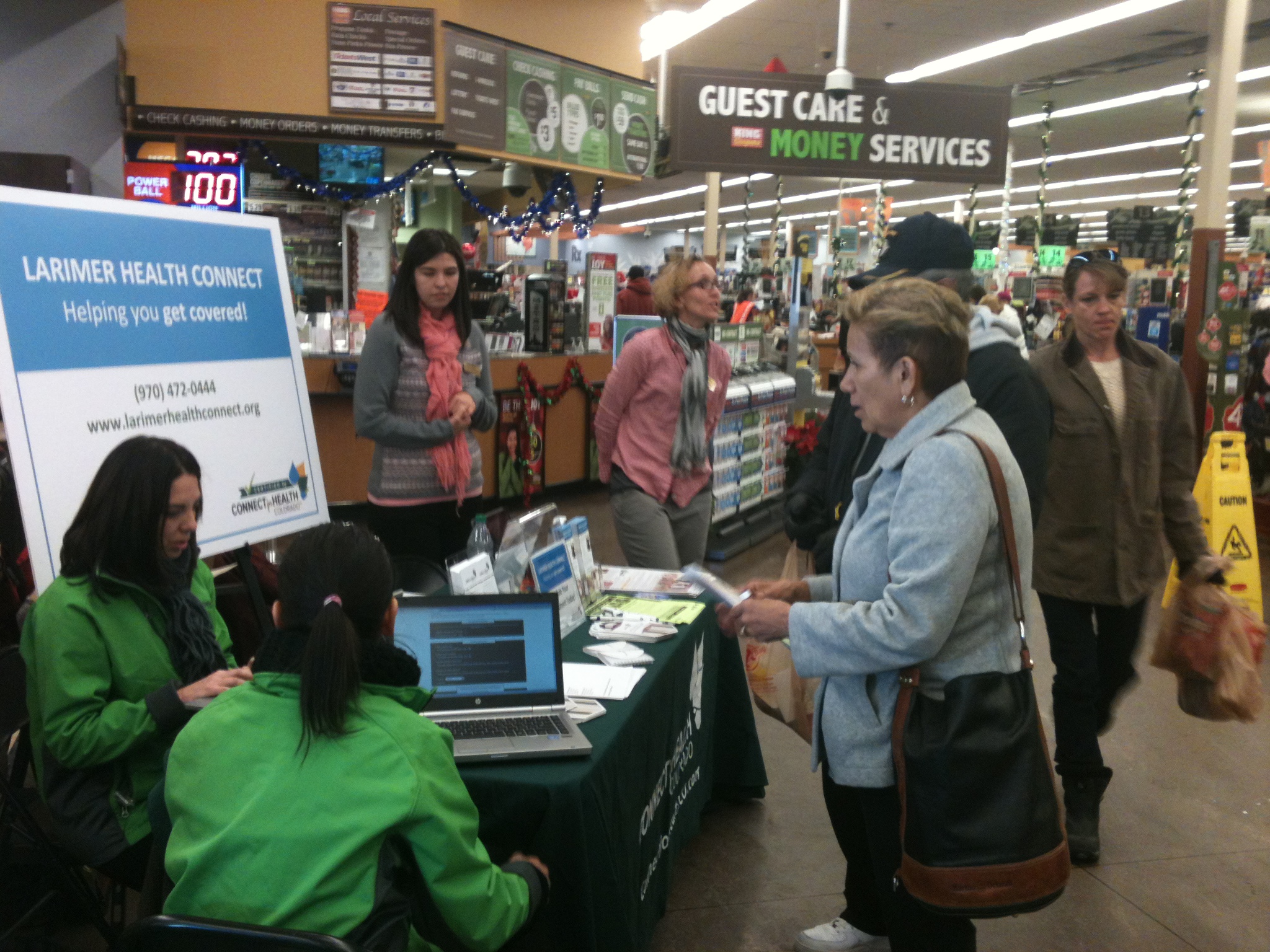
There are dozens of Assistance Sites located all over the state with Health Coverage Guides available to help Coloradans look for insurance options. Click here to find an Assistance Site near you.
Just two weeks ago, we took off on a 10-day, statewide RV tour to educate Coloradans about health insurance options and available financial assistance through Connect for Health Colorado.
The goal of the tour? Inform the masses! With deadlines approaching, it’s important for every Coloradan to know their options. Folks have until December 23 to sign up and be covered by Jan. 1, 2014. Those who miss this deadline have until March 31, 2014 to enroll for health coverage—but the earlier one enrolls, the better!
The Connect for Health Colorado RV “tour guides” met with insurance-seekers from all over the state — and had a blast along the way. Here’s a look at our itinerary:
- Thursday, Dec. 5: Fort Morgan & Greeley
- Friday, Dec. 6: Fort Collins & Loveland
- Saturday, Dec. 7: Breckenridge & Dillon
- Sunday, Dec. 8: Lakewood
- Monday, Dec. 9: Colorado Springs
- Tuesday, Dec. 10: Pueblo
- Wednesday, Dec. 11: Pagosa Springs & Durango
- Thursday, Dec. 12: Montrose & Grand Junction
- Tuesday, Dec. 17: Limon
- Wednesday, Dec. 18: Aurora
- Thursday, Dec. 19: Thorton
Click here to learn more out the Holiday Connect to Coverage tour, and other upcoming events. And don’t forget to enroll for coverage by December 23!